> ## Documentation Index
> Fetch the complete documentation index at: https://docs.postonce.to/llms.txt
> Use this file to discover all available pages before exploring further.
# Using YouTube with PostOnce
> Connect a YouTube channel to PostOnce, copy YouTube Shorts and videos to other platforms, and publish videos to YouTube as Shorts or regular videos. Limits, titles and errors.
PostOnce can copy your YouTube Shorts and videos to other platforms, and upload videos from other platforms to YouTube.
## Connect YouTube
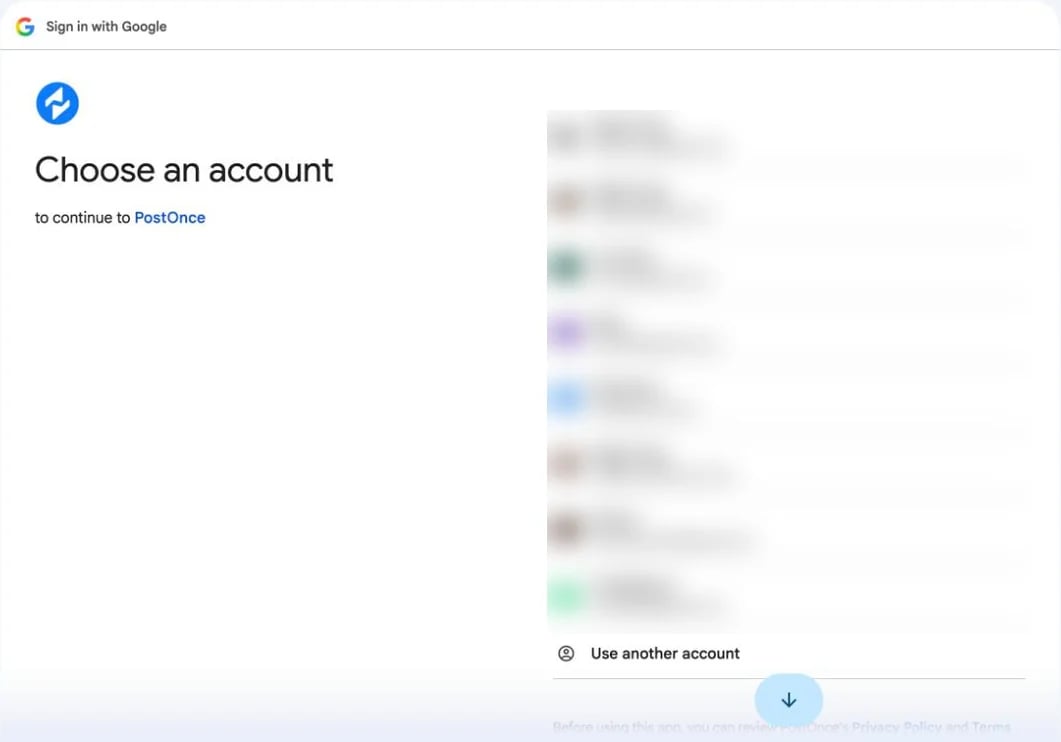 1. On [Accounts](https://postonce.to/dashboard/accounts), click **Connect YouTube**.
2. Choose the Google account that **owns the channel** and allow every permission Google asks for. If you untick a permission, uploads fail.
PostOnce connects the channel of the Google account you sign in with. If that account has no channel, create one at [youtube.com/create\_channel](https://www.youtube.com/create_channel) and connect again.
## YouTube as a source
* **Shorts** are copied by default. Turn on **Regular videos** in the workflow (or under **Settings › Source**) to copy longer, horizontal videos too.
* PostOnce checks YouTube for new videos every 25 minutes.
* The copied caption is the video's title and description.
* Private, removed, sign-in-only and age-restricted videos can't be copied. If YouTube is still processing the video, PostOnce retries later.
## Publishing to YouTube
YouTube only accepts video. Images and text-only posts are skipped.
| | Limit |
| - | - |
| Title | 100 characters. Without a title, PostOnce uses the first line of the caption. |
| Description | 5,000 characters |
| Video | 1 video per post, up to 1 GB |
| Thumbnail | 2 MB |
**Shorts or regular video?** PostOnce uploads a video as a Short when it's vertical, or when it came from TikTok, an Instagram Reel or another YouTube Short. YouTube makes the final decision based on the video's length and shape.
Uploads are public by default and marked as not made for kids. In [Create Post](/help/create-and-schedule-posts) you can choose **Public**, **Unlisted** or **Private**. Up to 8 hashtags from the description are added as tags.
## What YouTube doesn't allow
* Only videos can be uploaded. Community posts and images aren't supported by YouTube's API.
* YouTube limits how many uploads an app can make each day. If the limit is reached, the upload fails with a quota message; retry the next day.
## YouTube errors
| Error message | What to do |
| - | - |
| "Permissions missing. Please try again and allow all access." | [Reconnect](/help/reconnect-an-account) YouTube and tick every permission. |
| "YouTube API quota exceeded. Please try again later." | Retry the next day. |
| "YouTube rejected the upload: {message}" | Fix what YouTube describes, often a channel restriction, then retry. |
| "Only video media is allowed for YouTube Shorts." / "Video is required to create a YouTube Short." | YouTube only accepts videos. |
| "Video too large for current YouTube upload path: {N}MB. Current limit is {M}MB." | Compress the video below 1 GB. |
| "YouTube suspended this channel. After resolving it with YouTube, please reconnect your account." | Resolve the suspension in YouTube Studio, then reconnect. |
| "No YouTube channel found" | Create a channel, or sign in with the Google account that owns it. |
| "This YouTube video is private or has been removed." | Make the source video public or unlisted. |
| "This YouTube video is age-restricted and can't be downloaded for cross-posting." | Upload the file with Create Post instead. |
| "YouTube only lets signed-in viewers watch this video, so it couldn't be downloaded." | Make the video available to everyone, or upload the file with Create Post. |
| "YouTube is still processing the source video; retry later." | Wait until YouTube finishes processing, then retry. |
## Still stuck?
Search this help center with ⌘ K, or email [support@postonce.to](mailto:support@postonce.to) from the address you use for PostOnce. Include the platform, the approximate time, and the exact message you saw. Never send passwords, access tokens, API keys, or card details.
Something missing from PostOnce? [Request a feature](https://postonce.featurebase.app/) or check the [roadmap](https://postonce.featurebase.app/roadmap).
This documentation is built and hosted on [Mintlify](https://mintlify.com), a developer documentation platform.
1. On [Accounts](https://postonce.to/dashboard/accounts), click **Connect YouTube**.
2. Choose the Google account that **owns the channel** and allow every permission Google asks for. If you untick a permission, uploads fail.
PostOnce connects the channel of the Google account you sign in with. If that account has no channel, create one at [youtube.com/create\_channel](https://www.youtube.com/create_channel) and connect again.
## YouTube as a source
* **Shorts** are copied by default. Turn on **Regular videos** in the workflow (or under **Settings › Source**) to copy longer, horizontal videos too.
* PostOnce checks YouTube for new videos every 25 minutes.
* The copied caption is the video's title and description.
* Private, removed, sign-in-only and age-restricted videos can't be copied. If YouTube is still processing the video, PostOnce retries later.
## Publishing to YouTube
YouTube only accepts video. Images and text-only posts are skipped.
| | Limit |
| - | - |
| Title | 100 characters. Without a title, PostOnce uses the first line of the caption. |
| Description | 5,000 characters |
| Video | 1 video per post, up to 1 GB |
| Thumbnail | 2 MB |
**Shorts or regular video?** PostOnce uploads a video as a Short when it's vertical, or when it came from TikTok, an Instagram Reel or another YouTube Short. YouTube makes the final decision based on the video's length and shape.
Uploads are public by default and marked as not made for kids. In [Create Post](/help/create-and-schedule-posts) you can choose **Public**, **Unlisted** or **Private**. Up to 8 hashtags from the description are added as tags.
## What YouTube doesn't allow
* Only videos can be uploaded. Community posts and images aren't supported by YouTube's API.
* YouTube limits how many uploads an app can make each day. If the limit is reached, the upload fails with a quota message; retry the next day.
## YouTube errors
| Error message | What to do |
| - | - |
| "Permissions missing. Please try again and allow all access." | [Reconnect](/help/reconnect-an-account) YouTube and tick every permission. |
| "YouTube API quota exceeded. Please try again later." | Retry the next day. |
| "YouTube rejected the upload: {message}" | Fix what YouTube describes, often a channel restriction, then retry. |
| "Only video media is allowed for YouTube Shorts." / "Video is required to create a YouTube Short." | YouTube only accepts videos. |
| "Video too large for current YouTube upload path: {N}MB. Current limit is {M}MB." | Compress the video below 1 GB. |
| "YouTube suspended this channel. After resolving it with YouTube, please reconnect your account." | Resolve the suspension in YouTube Studio, then reconnect. |
| "No YouTube channel found" | Create a channel, or sign in with the Google account that owns it. |
| "This YouTube video is private or has been removed." | Make the source video public or unlisted. |
| "This YouTube video is age-restricted and can't be downloaded for cross-posting." | Upload the file with Create Post instead. |
| "YouTube only lets signed-in viewers watch this video, so it couldn't be downloaded." | Make the video available to everyone, or upload the file with Create Post. |
| "YouTube is still processing the source video; retry later." | Wait until YouTube finishes processing, then retry. |
## Still stuck?
Search this help center with ⌘ K, or email [support@postonce.to](mailto:support@postonce.to) from the address you use for PostOnce. Include the platform, the approximate time, and the exact message you saw. Never send passwords, access tokens, API keys, or card details.
Something missing from PostOnce? [Request a feature](https://postonce.featurebase.app/) or check the [roadmap](https://postonce.featurebase.app/roadmap).
This documentation is built and hosted on [Mintlify](https://mintlify.com), a developer documentation platform.