
PostOnce can copy your Bluesky posts to other platforms and publish to Bluesky.

Connect Bluesky with an app password
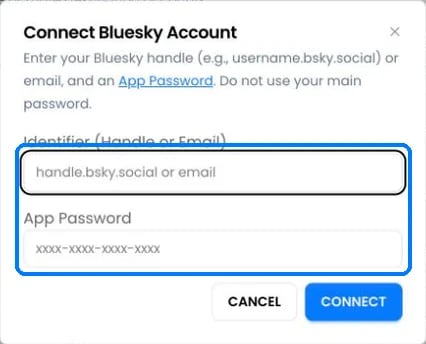
The Connect Bluesky Account dialog with fields for handle or email and app password
Bluesky connects with an app password, not your main password.
  1. In Bluesky, open Settings › App passwords and create one named “PostOnce”.
  2. On Accounts, click Connect Bluesky.
  3. Enter your handle (for example name.bsky.social) or email, and the app password (xxxx-xxxx-xxxx-xxxx). Click Connect.
To disconnect PostOnce from the Bluesky side, delete the app password in Bluesky.

Bluesky as a source

  • PostOnce checks Bluesky for new posts every 5 minutes.
  • Text, images, videos and quote posts can be copied. Reposts of other people’s posts aren’t copied.

Publishing to Bluesky

Images and video can’t be mixed. Links, #hashtags and @mentions are made clickable. Link preview cards aren’t added. Bluesky only accepts videos from accounts with a verified email address and a saved profile.

Bluesky errors

Still stuck?

Search this help center with ⌘ K, or email support@postonce.to from the address you use for PostOnce. Include the platform, the approximate time, and the exact message you saw. Never send passwords, access tokens, API keys, or card details. Something missing from PostOnce? Request a feature or check the roadmap.
Last modified on October 7, 2026