PostOnce can copy your Threads posts to other platforms and publish to Threads.
Connect Threads
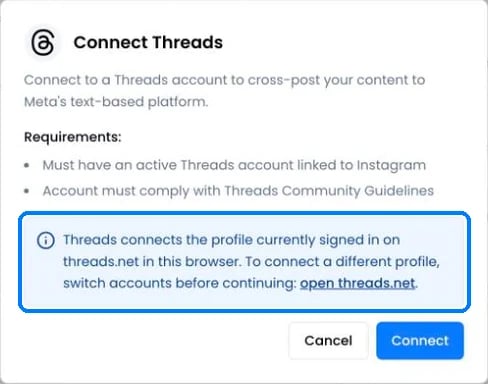
You need an active Threads account linked to Instagram. PostOnce connects the profile that’s signed in on threads.net in your browser. To connect a different profile, switch profiles on threads.net first, then click Connect Threads on Accounts.
If you see “@name was already connected. No new account was added.”, you were still signed in to the profile you connected before.
Threads as a source
- PostOnce checks Threads for new posts every 5 minutes.
- Text, images, videos and quote posts can be copied. Posts before 5 July 2023 can’t be imported.
Publishing to Threads
Text-only posts are supported.
Shorter captions on Threads
Under Settings › Destinations for a Threads account, Threads caption length can be set to 160, 280 or 500 characters (the default). PostOnce shortens at a paragraph break or a whole word, and never splits a link.
Threads errors
Still stuck?
Search this help center with ⌘ K, or email support@postonce.to from the address you use for PostOnce. Include the platform, the approximate time, and the exact message you saw. Never send passwords, access tokens, API keys, or card details.
Something missing from PostOnce? Request a feature or check the roadmap. Last modified on October 7, 2026