
The workflow page
Open Workflows and click View on a workflow.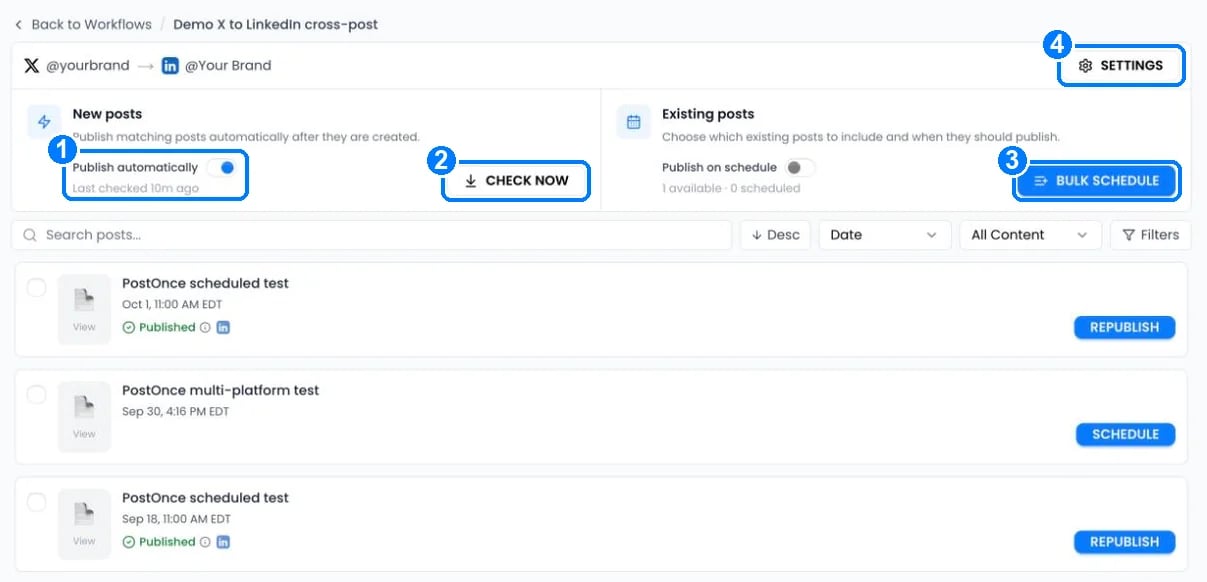
- Publish automatically turns copying of new posts on or off. “Last checked” shows when PostOnce last looked at the source.
- Check now looks for new posts right away.
- Bulk schedule reposts older posts on a schedule. See Repost existing posts.
- Settings opens the workflow settings.
Workflow settings
Click Settings on the workflow page. Changes apply to posts that haven’t published yet when you click Save settings.- Source
- Destinations
- Content
- Publish
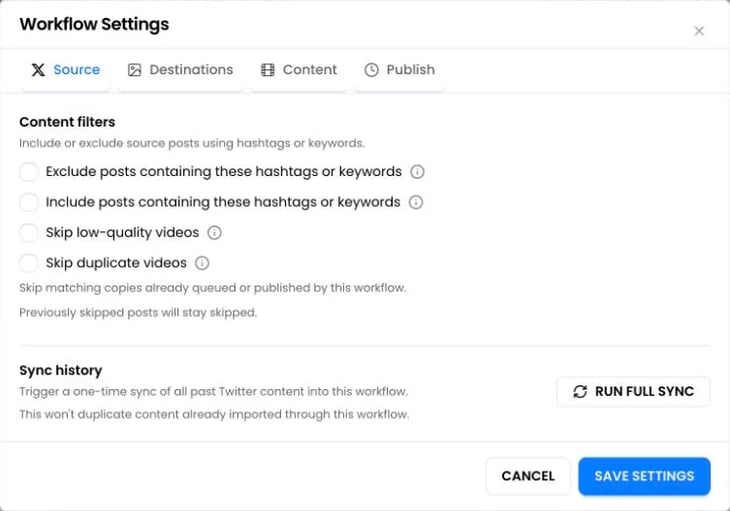
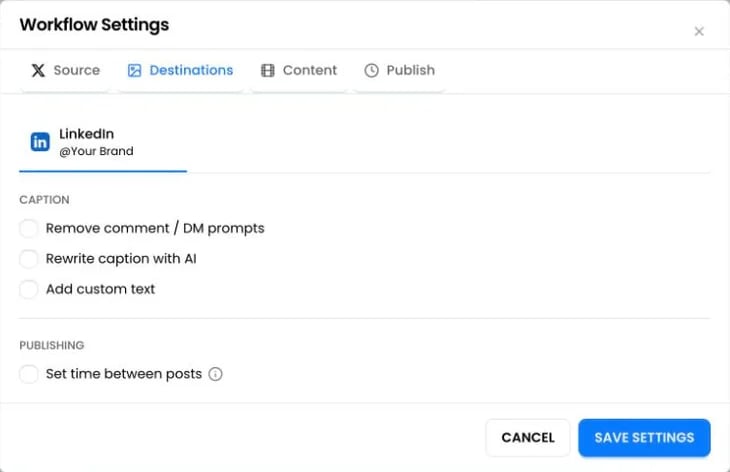
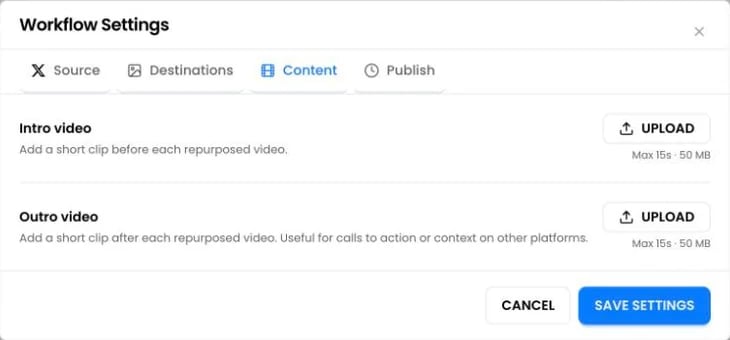
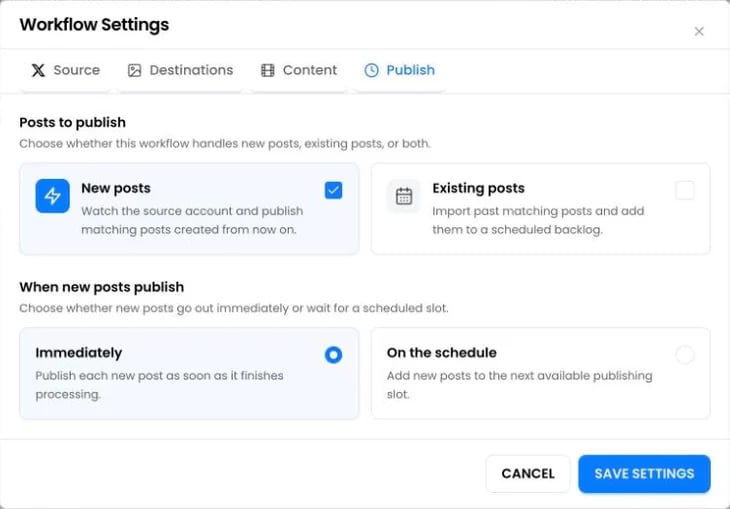
Pause, edit or delete a workflow
- Pause: switch the workflow off in the list. Queued posts are paused, not deleted. When you switch it back on, new posts resume and existing posts are rescheduled.
- Edit: open the ⋮ menu and choose Edit workflow to change the source or destinations.
- Delete: open the ⋮ menu and choose Delete workflow. Posts that haven’t published are discarded. Posts already published stay on the platforms, and their history stays in PostOnce.
Questions
Can one source post to several platforms?
Can one source post to several platforms?
Yes. Add every destination to the same workflow. It still counts as one workflow.
Will A → B and B → A loop forever?
Will A → B and B → A loop forever?
No. PostOnce doesn’t copy posts it published itself back to their source, and its duplicate checks catch recent copies. To be safe, use a keyword filter on one side.
Can I repost to the same account?
Can I repost to the same account?
Yes, for existing posts. A workflow can take older posts from an account and republish them to the same account on a schedule.
I use another cross-posting tool too. Will posts appear twice?
I use another cross-posting tool too. Will posts appear twice?
Yes, if both tools copy the same posts. Turn off the other tool’s automation for the accounts PostOnce handles.
How many workflows can I have?
How many workflows can I have?
Paid plans include unlimited workflows. The free trial includes 3, and paused workflows count toward that.